
UPS for ONT and passive optical LAN
Passive optical LAN earns its name at the middle of the network, where unpowered optical splitters replace the switches that used to fill a floor closet. What the architecture does not remove is the electronics at the edge. Every optical network terminal still needs power, and in most buildings it gets that power from an unprotected wall outlet through a small external adapter. When utility power drops, the fiber keeps working and the ONT does not, taking the voice, video, wireless, and access control services behind it offline. A compact UPS at each ONT closes that gap. A bare ONT is a very small load, so a compact battery carries it for up to the full two hours the J60 allows on a light load. An ONT that also sources Power over Ethernet is a much larger load than its own draw suggests, and that distinction drives the whole sizing exercise.
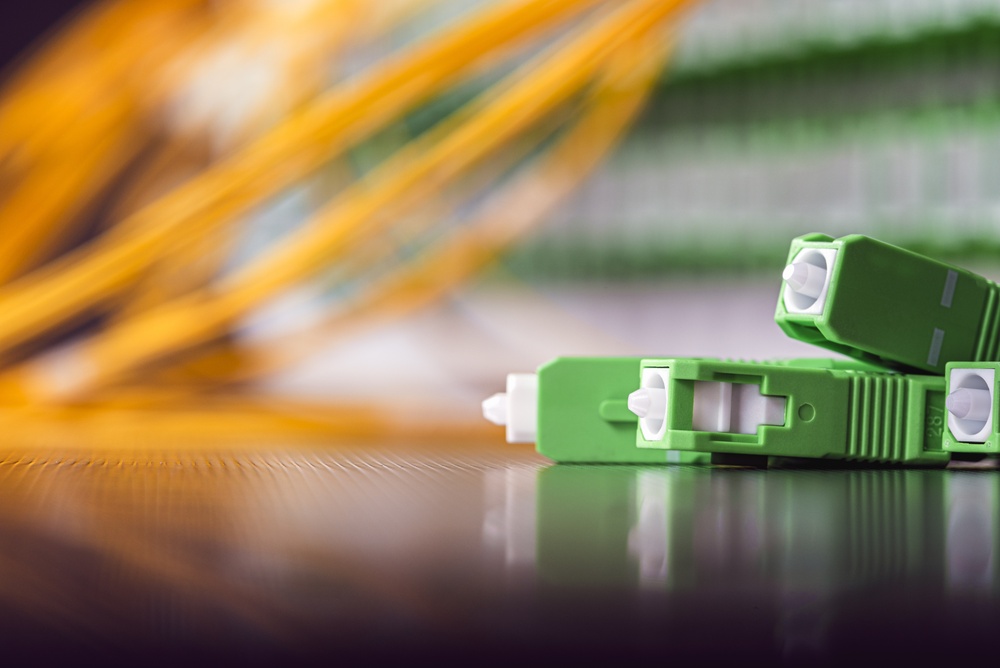
POL removes the closet, not the electronics
In a traditional copper LAN, the distribution switch sat in a floor closet behind a rack UPS. One system protected every device on that floor. Passive optical LAN eliminates the closet and the switch, and the UPS behind them disappears with it. The electronics did not go away, though. They moved out to the edge, one small box at a time, and each one now sits on whatever outlet happens to be nearby.
That matters because an ONT is rarely serving one device. It is the network handoff for an entire area, and everything behind it depends on it staying alive.
| When the ONT loses power | What goes offline with it |
|---|---|
| Voice | Guest room and office phones stop working, including emergency calling |
| Wireless | Any access point fed from that ONT drops, along with everyone connected to it |
| Security and access control | Cameras stop recording, badge readers and electronic locks fall back to a default state |
| Video and IPTV | In-room entertainment and digital signage go dark |
| Building systems | BMS sensors, controllers, and automation nodes stop reporting |
Most enterprise ONTs support a dying-gasp alarm, so the head-end learns the moment an ONT loses power. That is useful for diagnostics, but it is a notification that the node is already down. A UPS at the ONT means the alarm never fires.
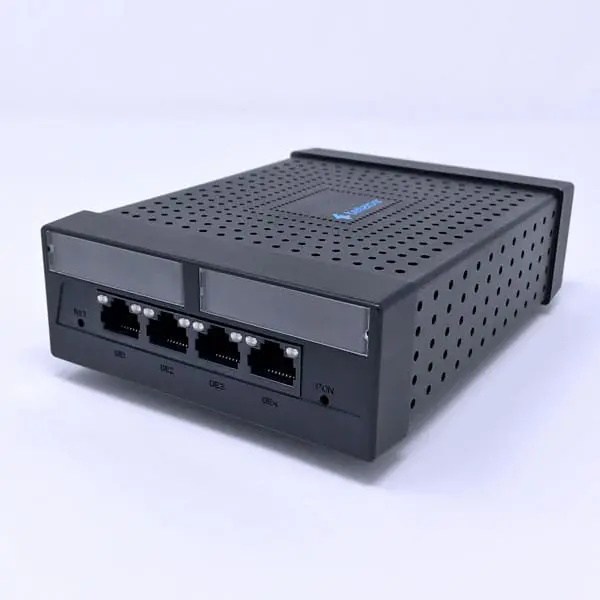
The fiber plant is untouched during all of this. The optical splitters are passive and the head-end is usually on a generator or a centralized UPS. The single point of failure is the small power adapter at the edge, which is also the cheapest and easiest thing to protect.
A very small load, and that is the whole advantage
Sizing a UPS for an ONT looks like the easiest job in backup power right up to the moment Power over Ethernet enters the picture. The ONT itself is a trivial load. What hangs off its Ethernet ports usually is not, and all of that power passes through the same outlet the UPS is protecting.
Published figures for a current enterprise ONT, the Tellabs 140CL, show the spread clearly:
| Operating state | Draw | What it means for sizing |
|---|---|---|
| Idle | 5 W | The floor. An ONT with nothing attached is a rounding error against any UPS nameplate. |
| Maximum, no PoE | 8 W | The realistic figure where the ONT feeds only self-powered devices. |
| Maximum, with PoE | 72 W | Up to 60 W of that is delivered to attached devices across the four ports. Nine times the bare draw. |
Figures from the published Tellabs 140CL datasheet. Other vendors differ, but the pattern holds: the PoE budget dominates the ONT’s own consumption. Confirm against your own model.
Three things to settle before you specify:
1. Count the PoE budget, not just the outlet
This is where ONT sizing goes wrong. The usual advice is to add up everything plugged into the same outlet, and that still applies to a companion switch or a media converter sharing the enclosure. But the devices most likely to be attached to an ONT are not on the outlet at all. An access point, a VoIP phone, a camera, or a badge reader draws its power through the ONT’s Ethernet ports, and every watt of it comes out of the UPS. The arithmetic is the same one covered in UPS sizing for PoE switches; the only difference is that the PoE source is an ONT rather than a switch.
Size to what the ONT delivers, not to what it consumes by itself. Once you have the total, apply the 80 percent continuous-load guideline so the UPS is not running at its nameplate maximum, since running near full load shortens both runtime and battery service life.
2. Plan for the power adapter, not just the watts
Most ONTs are powered by an external supply, and those bricks are physically large relative to their output. Outlet spacing on the UPS matters as much as capacity. This is a common reason a nominally correct UPS turns out to be the wrong choice on site.
3. Runtime follows the PoE decision, not the ONT
At the lightest load on the published J60 runtime chart, 30 W, a J60-350 runs 43 minutes and a J60-600 runs 86 minutes. A bare ONT sits far below that point and runs correspondingly longer. An ONT sourcing a full PoE budget sits well above it, and runtime falls accordingly. From the UPS point of view these are two different products, and the only thing separating them is what got plugged into the Ethernet ports.
That is worth planning around, because PoE loads get added quietly, long after commissioning, by someone with no reason to think about the UPS. Sizing with headroom for the ports that are empty today is cheaper than a second truck roll.
The J60 includes a light-load discharge cutoff at approximately two hours. Below the load where the battery would otherwise run past that point, the unit ends the discharge at the two-hour mark. In practice that makes two hours the ceiling on runtime at a single-ONT load rather than a figure to design past, and two hours covers the overwhelming majority of utility interruptions. The same cutoff protects the battery against slow discharge during shipping and storage.
There is no backup-power code requirement for an enterprise or hospitality passive optical LAN; the residential fixed-voice rule does not apply to a private building owner. For an exact runtime figure at your specific load, use the UPS sizing tool or contact us with the ONT model and anything else sharing the circuit.
The J60-350 at the ONT
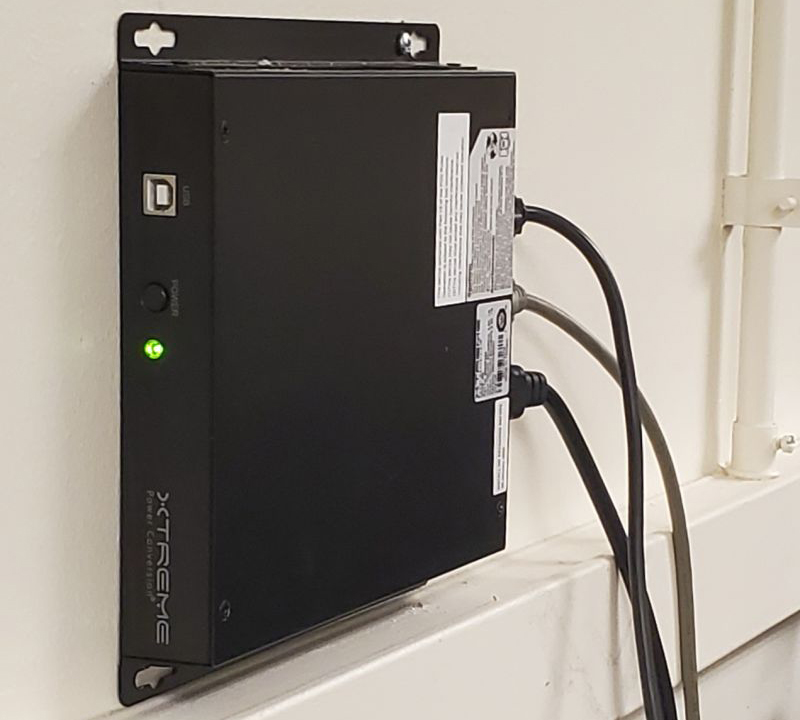
The J60-350 is the unit we specify most often for ONT protection, and the reason is as much mechanical as electrical. ONTs get installed in the places nobody wants to give up space in: inside office furniture, under a desk, behind a wall plate, in a riser, in a lockable zone box. A conventional tower UPS of the same rating simply will not fit in most of them. At 1.25 inches thick and 3.4 pounds, the J60 goes in alongside the ONT.
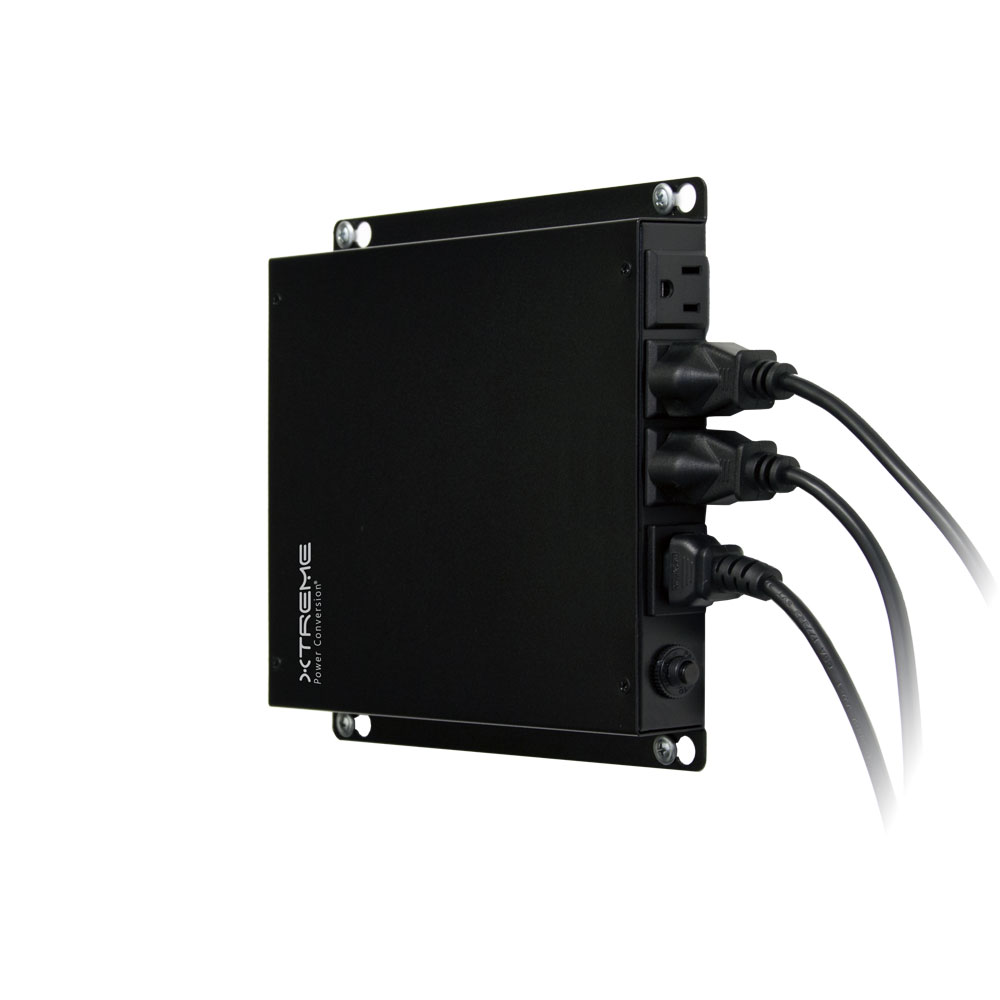
350 VA / 200 W · 120 VAC · LiFePO₄ · 1.25 in · 3.4 lbs
The default choice for a single ONT, or an ONT plus one small companion device.
- Fits inside zone boxes, furniture, and shallow enclosures
- Fanless and silent, suitable for occupied space
- Mounting brackets standard, DIN-rail kit optional
Up to 15 yr · 3,000 to 5,000 cycles
ONTs are distributed by definition, which makes battery replacement the real cost of ownership. A hundred lead-acid units on a three year replacement cycle is a recurring truck roll problem.
- LiFePO₄ service life far exceeds VRLA
- Fewer site visits across a large ONT count
- Better thermal behavior in closed enclosures
Operates to 50 °C, derated above 40 °C
An ONT in a sealed zone box or an unconditioned riser is a harder thermal environment than a data closet, and it is usually a long way from anyone who could service it.
- Fanless operation with no filter maintenance
- Up to 98 percent efficiency in normal mode, less heat in the box
- Suited to island, coastal, and remote deployments
Note on transfer: the J60 transfers in 2 to 6 ms typical, well inside the ride-through of a standard ONT power supply, and outputs a simulated sine wave in battery mode. ONT supplies are switch-mode and tolerant of this, but confirm if the same UPS is also carrying a load with a sine-wave requirement.
Note on monitoring: the 350 VA models do not accept the SNMP-J60 web and SNMP card. If remote visibility into each ONT UPS is a requirement, step up to a 600 VA model, which does support it.
Note on temperature: in a sealed enclosure the ONT is usually the limiting component, not the UPS. Enterprise ONTs are commonly rated to 40 °C, while the J60 operates to 50 °C with derating above 40. Design the enclosure to the ONT’s rating and the UPS will not be the constraint.
Deployment patterns
| Environment | What the ONT is carrying | Why edge backup matters |
|---|---|---|
| Hotels and resorts | Guest room voice, door locks, in-room entertainment, guest Wi-Fi, BMS | Guest safety and life-safety communication do not pause for a utility event. Door access falling back to a default state during an outage is a serious operational problem. See hospitality UPS systems for the property-wide view. |
| Higher education and K-12 campuses | Classroom wireless, VoIP, cameras, access control | POL is heavily deployed on campuses precisely because it removes closets. That makes every ONT a small unprotected node. See UPS for schools and campuses. |
| Healthcare | Nurse call adjuncts, voice, wireless, environmental monitoring | Distributed, always-on services in buildings where a service call to a patient area is disruptive. |
| Island and remote sites | Everything, usually with no second path | Unstable grids, storm exposure, salt air, and long parts lead times. Battery service life and enclosed-cabinet thermal performance carry more weight than they do on the mainland. |
Find your ONT’s power figures
Every sizing decision on this page depends on numbers that only your ONT vendor publishes. They are usually in the datasheet under a heading like Power or Electrical, and they are worth pulling before you specify anything. Four fields matter:
| Datasheet field | Why it matters |
|---|---|
| Consumption, idle | The floor. Useful for understanding best-case runtime, rarely the number you size to. |
| Consumption, maximum without PoE | The right figure when every attached device has its own power supply. |
| Consumption, maximum with PoE | The number to size to in most real deployments. Frequently several times the figure above. |
| PoE budget delivered | How much the ONT can hand out across its ports. This is the headroom someone will fill later. |
As a worked example, the Tellabs 140CL datasheet lists 5 W idle, 8 W maximum without PoE, and 72 W maximum with PoE, of which up to 60 W is delivered across the four Ethernet ports. Also note whether the power supply is included, since on many enterprise ONTs it is ordered separately.
Two groups of manufacturers turn up in this application, and they are worth telling apart. Enterprise optical LAN vendors build ONTs for in-building use, with the PoE budgets and mounting options a building network needs. Service provider vendors build ONTs for fiber to the home, which show up in enterprises via a carrier-delivered circuit rather than a private POL:
| Manufacturer | Focus | Where the ONT specifications live |
|---|---|---|
| Tellabs | Enterprise optical LAN | 140CL datasheet, with the rest of the range under Products |
| Nokia | Enterprise optical LAN | Aurelis Optical LAN, where ONTs are called optical modems |
| Adtran | Service provider and FTTH | Optical network terminals, SDX 600 and 630 series |
Listed for reference only. Xtreme Power is not affiliated with, endorsed by, or a reseller for any of these manufacturers, and our UPS platforms are vendor neutral. Several well-known names in passive optical LAN supply the fiber, cabling, splitters, or head-end rather than the ONT itself, so if your integrator names a vendor and you cannot find an ONT datasheet under it, that is usually why. Send us the part number and we will work from the published figures.
Passive optical LAN terminology
POL borrows most of its vocabulary from carrier fiber-to-the-home networks, which is why the terms are unfamiliar to many building and facilities teams evaluating backup power for the first time.
Adjacent guides
This page covers the ONT itself. If your building mixes optical and copper distribution, or if the constraint is the enclosure rather than the load, these will be more directly useful.
UPS for ONT, answered
Does an ONT need a UPS?
How long will a UPS run an ONT?
What size UPS do I need for an ONT?
Is backup power for an ONT required by code?
Does Power over Ethernet change how I size a UPS for an ONT?
Can one UPS protect several ONTs?
Specifying backup power for a POL deployment?
Send us the ONT model and the count, and we will size the platform and confirm runtime against the actual load rather than a nameplate estimate.